Small businesses need to attract new customers, follow up with leads, maintain customer relationships, and generate repeat sales. However, managing every marketing activity manually can consume valuable time and lead to missed opportunities.
Marketing automation for small businesses helps simplify these tasks by using predefined workflows, triggers, and actions to manage repetitive marketing activities. Businesses can respond to enquiries, nurture potential customers, organize campaigns, and measure results more efficiently.
The goal is not to remove the human element from marketing. It is to reduce repetitive work so teams can focus on meaningful customer conversations, better service, and business growth.
In this guide, you will learn about marketing automation tools for small businesses, the benefits of marketing automation, practical workflow examples, lead nurturing strategies, and how to build an automation process that supports your business goals.
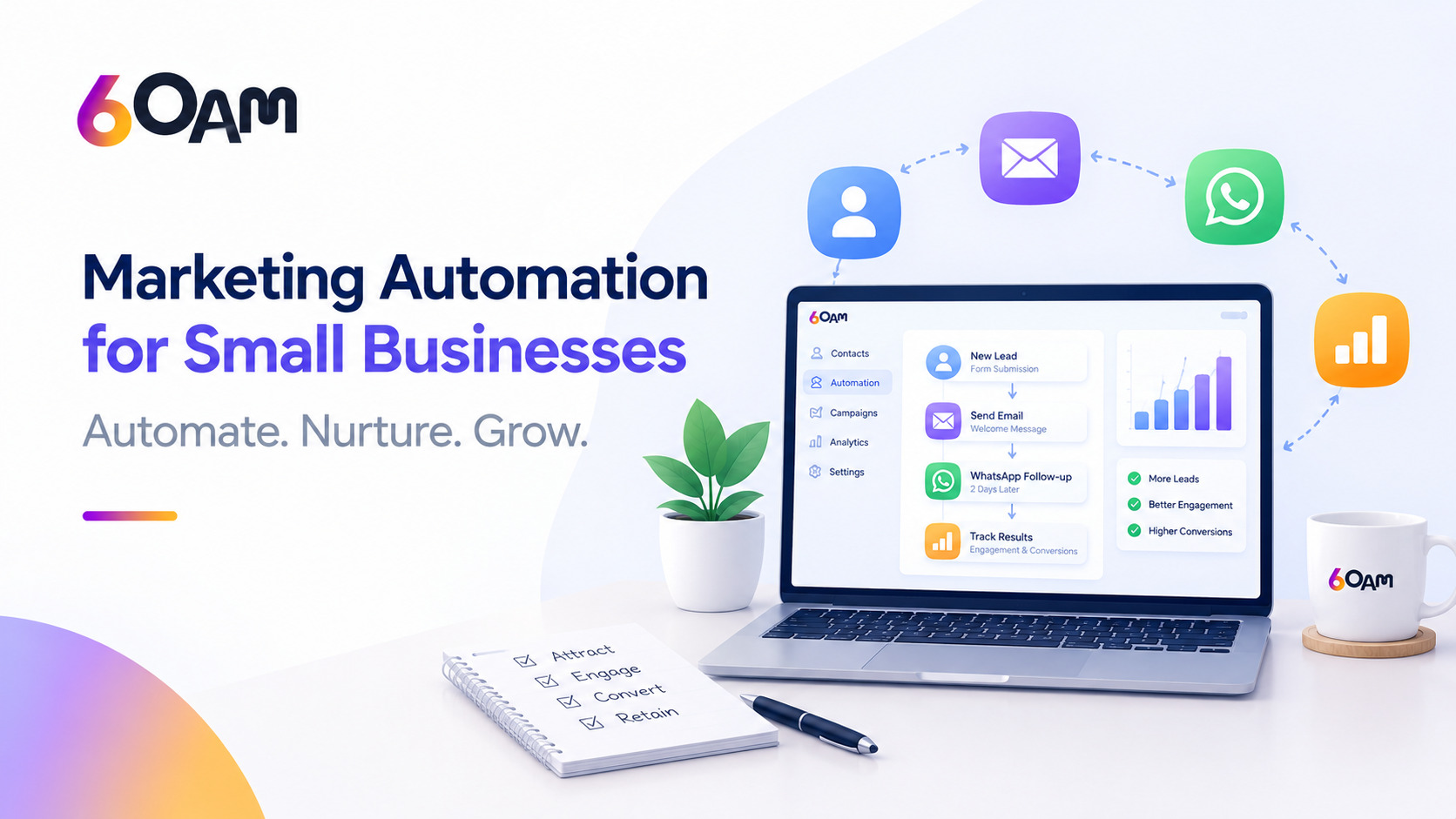
What Is Marketing Automation for Small Businesses?
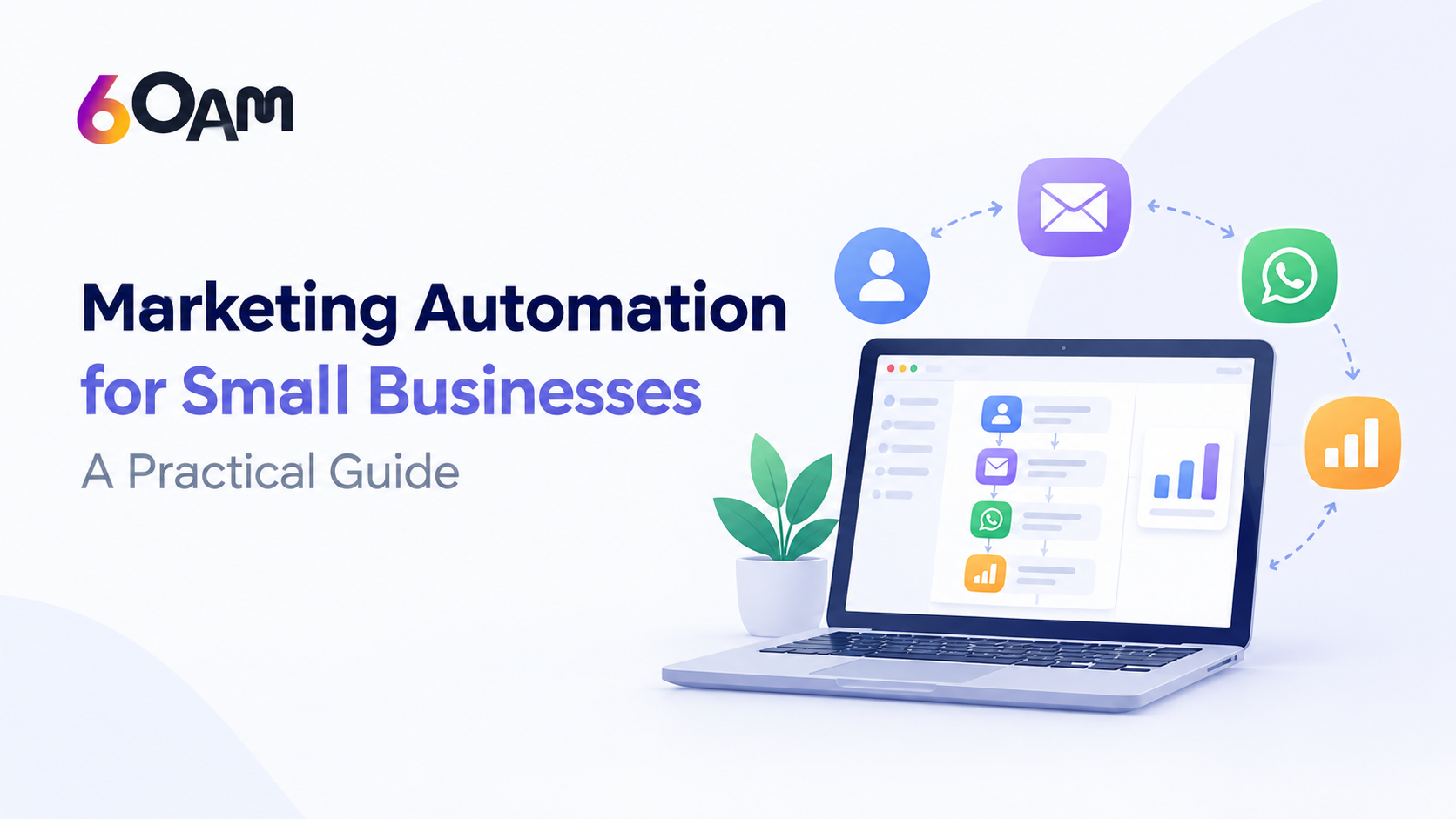
Marketing automation is the use of software to perform repetitive marketing tasks according to predefined rules, customer actions, or business events.
For example, when someone fills out an enquiry form on your website, an automation workflow could send a confirmation email, create a lead record in your CRM, notify the sales team, and schedule a follow-up reminder.
Instead of completing each task manually, the business creates a workflow that performs the appropriate actions automatically.
Common applications include:
- Email marketing automation and campaign scheduling.
- Automated lead nurturing and follow-ups.
- Customer segmentation and personalized messaging.
- Marketing campaign automation.
- CRM and marketing automation integration.
- Customer journey automation.
- Lead tracking, reporting, and performance measurement.
The exact capabilities depend on the software, integrations, customer permissions, and workflow configuration.
Why Do Small Businesses Need Marketing Automation?
Small businesses often work with limited marketing budgets and small teams. As enquiry volumes increase, manually managing every lead and campaign becomes difficult.
Marketing automation can help address several common challenges.
1. Respond to Enquiries More Consistently
When potential customers submit a form or request information, a timely response helps establish a clear communication process. Automated acknowledgements and internal notifications can reduce delays.
2. Reduce Repetitive Marketing Tasks
Scheduling campaigns, organizing contacts, sending routine messages, and creating follow-up reminders can take considerable time. Automation makes these activities more consistent.
3. Improve Lead Management
When marketing and sales information is stored in a connected system, teams can see where leads originate, which actions they have taken, and what follow-up may be required.
4. Maintain Consistent Customer Communication
A structured workflow can deliver relevant information at appropriate stages of the customer journey, subject to consent and communication preferences.
5. Measure Marketing Performance
Campaign and CRM reporting can help businesses understand which sources generate enquiries, which campaigns receive engagement, and where leads drop out of the sales process.
10 Benefits of Marketing Automation
The benefits of marketing automation depend on implementation, data quality, and the relevance of the campaigns. When configured properly, automation can support the following outcomes.
- Time savings: Reduce repetitive administrative marketing work.
- Consistent follow-ups: Establish a defined process for responding to enquiries.
- Better lead organization: Keep customer records and enquiry details structured.
- More relevant communication: Segment audiences according to their needs and interests.
- Improved lead nurturing: Share useful information with prospects over time.
- Fewer manual errors: Reduce missed reminders and inconsistent campaign execution.
- Better sales coordination: Notify the appropriate team when a lead needs attention.
- Scalable campaigns: Manage larger contact lists without manually handling every task.
- Performance visibility: Review engagement, conversion, and lead-source data.
- Stronger customer relationships: Provide timely and useful communication throughout the customer journey.
Automation alone does not guarantee more sales. Businesses still need relevant offers, accurate customer data, good messaging, and a clear sales process.
7 Marketing Automation Workflow Examples for Small Businesses
Practical marketing automation workflow examples can help you identify where automation will deliver the most value.
Workflow 1: New Lead Follow-Up Automation
Goal: Respond consistently when a potential customer submits an enquiry.
Trigger: A visitor completes a website contact form.
Automated actions:
- Save the enquiry in the CRM.
- Send a confirmation message through an approved communication channel.
- Notify the relevant sales representative.
- Create a follow-up task.
- Update the lead status when the sales team takes action.
Example: A digital marketing agency receives an enquiry from a business owner. The system records the service requirement and alerts the sales team, while the prospect receives confirmation that the enquiry has been received.
Measure: Response time, qualified leads, appointments booked, and lead-to-customer conversion rate.
Workflow 2: Automated Email Follow-Ups
Goal: Maintain communication with prospects who need additional information before making a decision.
Trigger: A prospect requests a product guide or consultation.
Automated actions:
- Send the requested resource.
- Share relevant information in a later email.
- Provide answers to common questions.
- Invite the prospect to book a consultation when appropriate.
- Stop promotional messages when the prospect unsubscribes or becomes ineligible.
The timing and number of messages should reflect the buying journey rather than sending repeated emails without a clear purpose.
Measure: Delivery rate, click-through rate, qualified enquiries, and conversions.
Workflow 3: Lead Nurturing for Interested Prospects
Goal: Help prospects understand a service before they are ready to purchase.
Trigger: A lead shows interest in a particular product or service.
Automated actions:
- Assign the lead to a relevant segment.
- Send educational content related to the prospect’s interest.
- Share a case study or product demonstration where available.
- Create a sales task when the prospect requests further assistance.
This is an example of automated lead nurturing: providing relevant information over time rather than relying on a single sales message.
Measure: Engagement, repeat visits, demo requests, and qualified opportunities.
Workflow 4: Customer Segmentation
Goal: Deliver more relevant communication to different groups of customers.
Contacts can be segmented using appropriate information such as product interest, enquiry source, customer status, or previous purchases.
For example, a service business might maintain separate segments for new enquiries, active customers, and customers eligible for a renewal reminder.
Each segment can receive different information based on its needs.
Measure: Engagement and conversion rates by segment.
Workflow 5: Customer Journey Automation
Goal: Provide suitable communication at different stages of the customer lifecycle.
A typical customer journey might include:
- Awareness: Share educational resources.
- Consideration: Explain features, benefits, and available solutions.
- Evaluation: Offer a consultation or demonstration.
- Purchase: Provide onboarding information.
- Retention: Share helpful guidance and relevant updates.
The automation should respond to customer actions and preferences. A person who has already purchased should not continue receiving messages intended only for new prospects.
Measure: Stage-to-stage conversion, time to conversion, and customer retention.
Workflow 6: Marketing Campaign Automation
Goal: Coordinate recurring marketing campaigns with less manual effort.
A business can schedule email campaigns, organize audience segments, prepare internal notifications, and monitor campaign results using suitable marketing software.
For instance, a training company could create a campaign for an upcoming course, send information to interested contacts, and notify its team when someone registers.
Campaign automation should include checks for contact eligibility, message accuracy, and campaign timing.
Measure: Registrations, qualified leads, campaign conversions, and cost per acquisition when cost data is available.
Workflow 7: Re-Engagement and Customer Retention
Goal: Reconnect with eligible customers or prospects who have not interacted recently.
Trigger: A contact meets a defined inactivity condition.
Automated actions:
- Check the contact’s status and communication permissions.
- Send a relevant update or useful resource.
- Provide a clear next step.
- Record the response.
- Stop the workflow if the contact opts out or is no longer eligible.
Re-engagement campaigns should offer genuine value rather than repeatedly sending generic promotional messages.
Measure: Reactivation rate, meaningful engagement, and subsequent conversions.
How to Build a Marketing Automation Workflow Step by Step
You do not need to automate every marketing activity at once. Begin with one process that is repetitive, measurable, and important to your business.
Step 1: Identify a Business Problem
Choose a specific challenge, such as delayed lead responses, missed follow-ups, inconsistent email campaigns, or disconnected customer records.
Avoid starting with a complicated workflow simply because the software supports it.
Step 2: Define Your Trigger
A trigger determines when the workflow begins. Examples include a form submission, a new CRM record, a customer reaching a particular stage, or a scheduled campaign date.
Step 3: Set Conditions and Actions
Conditions determine which contacts qualify for a workflow. Actions define what happens next, such as sending a message, assigning a lead, updating a record, or creating a task.
Include appropriate checks to prevent duplicate messages and irrelevant communication.
Step 4: Choose the Right Marketing Automation Tools for Small Businesses
Evaluate software according to your actual needs.
Important considerations include:
- CRM and contact management.
- Workflow builder and automation rules.
- Email marketing automation.
- Lead nurturing and segmentation.
- Reporting and analytics.
- Integrations with your existing systems.
- Contact limits, usage charges, and scalability.
- Data security, access controls, and support.
The best solution is not necessarily the one with the largest feature list. It is the one your team can implement, maintain, and use effectively.
Step 5: Test Before Launching
Test the workflow with sample contacts. Confirm that the right trigger starts the process, messages contain accurate information, conditions work correctly, and contacts are removed when they should be.
Check mobile message rendering, links, form submissions, and duplicate-trigger behavior where relevant.
Step 6: Monitor and Improve
Review results regularly. If a workflow does not improve the intended outcome, investigate the message, audience, timing, offer, or process before adding more automation.
Email Marketing Automation vs CRM and Marketing Automation
Email marketing automation primarily focuses on email campaigns and subscriber communication. CRM and marketing automation combine marketing activities with contact records, lead management, and sales processes.
| Capability | Email automation | CRM and marketing automation |
| Scheduled email campaigns | Common | Often available |
| Contact segmentation | Common | Often available |
| Lead and opportunity management | May be limited | A central use case |
| Sales follow-up tasks | May require integration | Often available |
| Cross-channel workflows | Depends on software | Depends on integrations |
| Sales and marketing reporting | Campaign-focused | Can connect campaign and pipeline data |
For a business that only needs newsletters, a focused email platform may be sufficient. For a team that wants to connect enquiries, follow-ups, customer records, and sales activities, an integrated platform may be more suitable.
Always verify individual product features, integrations, and pricing before choosing a solution.
How to Automate Marketing Tasks Without Losing the Human Touch
Automation should make customer communication more useful, not less personal.
Follow these practices:
- Personalize messages using accurate information.
- Use clear, helpful language rather than generic promotional copy.
- Ask for permission where required before sending marketing communications.
- Respect unsubscribe requests and channel-specific communication rules.
- Give customers an easy way to contact a real person.
- Review automated messages regularly.
- Avoid sending messages too frequently.
- Keep customer information secure and restrict access appropriately.
For WhatsApp, SMS, and email campaigns, follow the relevant platform policies, consent requirements, and applicable privacy and messaging regulations.
Common Marketing Automation Mistakes to Avoid
Even well-designed marketing automation strategies can fail if the underlying process is weak.
Automating a broken process: Fix unclear ownership, poor messaging, and slow sales procedures before automating them.
Using inaccurate customer data: Incorrect contact details and outdated records can lead to failed or irrelevant messages.
Creating too many workflows: Start with a small number of useful automations and expand only when the results justify it.
Ignoring lead quality: A higher number of enquiries does not necessarily mean more qualified opportunities.
Failing to measure results: Track meaningful outcomes instead of relying only on email opens or clicks.
Neglecting customer consent: Use appropriate permission checks, suppression rules, and opt-out handling.
Not reviewing automation: Business offers, processes, and customer expectations change. Workflows should be reviewed and tested periodically.
How 6OAM Supports Marketing Automation for Businesses
Businesses looking to connect their marketing processes can explore 6OAM’s Marketing Automation platform.
6OAM presents marketing automation capabilities around campaign management, lead nurturing, customer segmentation, workflow automation, and performance tracking. The suitability of individual features depends on the current product configuration and available integrations.
When evaluating 6OAM or any other small business marketing automation software, consider how well it supports your existing lead capture process, customer communication, sales pipeline, and reporting requirements.
Before implementation, identify the workflows you need, verify the required integrations, and confirm any usage limits or additional charges.
The objective is to create a connected process in which enquiries are recorded, suitable follow-ups are triggered, sales teams know when to act, and results can be measured.
If you are comparing marketing automation solutions, review the 6OAM Marketing Automation page to understand its available capabilities and determine whether they fit your business requirements.
Explore More Business Growth Services at 6OAM
Marketing automation works best when it is connected with the right lead generation, sales, advertising, and customer engagement strategies. At 6OAM, businesses can explore a range of solutions designed to support their marketing activities, streamline workflows, and manage customer interactions more effectively.
Our Web Lead Engine helps businesses explore solutions for website-based lead capture and lead management. With Marketing Automation, businesses can learn how automated workflows and customer communication can support their marketing processes.
For businesses looking to improve their sales journey, Sales Funnel Creation focuses on structuring the steps that guide prospects toward taking action. Our AI & WhatsApp Bot service page provides more information about AI-powered and WhatsApp-based customer interactions.
Businesses can also explore Paid Advertising to understand our advertising-related solutions, while Lead Gen & Nurture focuses on attracting potential customers and maintaining engagement throughout the buying journey.
To support consistent brand communication, 6OAM also offers information about Content Marketing and Social Media services.
By exploring these connected services, businesses can identify solutions that align with their marketing objectives, lead management requirements, and customer engagement goals.
Explore the 6OAM Marketing Automation platform to learn more about the available capabilities and find the right approach for your business.
Frequently Asked Questions
1. What is marketing automation for small businesses?
Marketing automation for small businesses uses software and predefined workflows to manage repetitive marketing tasks, such as lead follow-ups, email campaigns, customer segmentation, and lead nurturing.
2. What are the best marketing automation tools for small businesses?
The best tools depend on your budget, contact volume, required integrations, CRM needs, and campaign complexity. Compare workflow features, reporting, ease of use, support, and total cost before choosing a platform.
3. What are the main benefits of marketing automation?
Key benefits include more consistent follow-ups, reduced manual work, organized lead management, personalized communication, scalable campaigns, and better visibility into marketing performance.
4. How does lead follow-up automation work?
Lead follow-up automation begins when a defined event occurs, such as a website form submission. The system can record the lead, send a confirmation, notify a salesperson, and schedule subsequent actions according to predefined conditions.
5. Can small businesses automate email marketing?
Yes. Suitable email marketing automation tools can schedule campaigns, segment subscribers, send requested resources, and run predefined nurturing sequences while respecting subscriber preferences and applicable requirements.
6. Is CRM and marketing automation the same thing?
No. A CRM primarily organizes customer and sales information, while marketing automation manages recurring marketing activities. Integrated software can connect both functions so marketing interactions and sales follow-ups work together.
7. How can marketing automation generate more leads?
Marketing automation for lead generation can help businesses capture enquiries, respond consistently, nurture prospects, and identify qualified opportunities. Actual results depend on targeting, offer quality, customer experience, and sales execution.
8. How long does it take to implement marketing automation?
A simple workflow may be configured relatively quickly, while a system involving multiple integrations, customer segments, and complex approval rules may require more planning and testing. Implementation time depends on the business and platform.
9. Is marketing automation suitable for service-based businesses?
Yes. Agencies, consultants, professional service providers, and other service businesses can use automation to manage enquiries, schedule consultations, nurture prospects, and maintain customer communication.
10. How do I get started with marketing automation?
Start by selecting one measurable problem, mapping the workflow, choosing appropriate software, testing the automation, and tracking its results. Expand to additional workflows once the initial process is working reliably.
Conclusion
Marketing automation for small businesses can create a more organized and consistent approach to lead management, customer communication, and campaign execution.
Start with a practical workflow such as new lead follow-up automation or automated email follow-ups. Measure the results, improve the process, and then expand into lead nurturing, customer journey automation, and connected sales and marketing activities.
Choosing the right marketing automation tools for small businesses requires more than comparing feature lists. Look for a solution that fits your workflows, supports your business goals, and can grow with your needs.
Explore 6OAM Marketing Automation to learn more about its approach to marketing workflows and lead nurturing, and evaluate whether it fits your business requirements.